
Have you ever found yourself frustrated by the inability to manage a computer from afar? It’s a common problem in our digital age, where remote access is often a necessity rather than a luxury. Whether you’re a system administrator needing to fix boot failures or an IT professional tasked with installing new operating systems, the challenges of remote management can be daunting. This is where JetKVM, a new open-source KVM (kernel-based virtual machine) over IP solution, claims to make a difference. This article is based on information from the creators, as the product has yet to be personally tested, leaving its functionalities unverified.
Also interesting: Emporia Smart Plugs – Your Wallet’s New Best Friend in the Energy Efficiency Game
JetKVM is said to offer comprehensive remote management solutions for computers, servers, and workstations. It reportedly allows users to address boot failures, perform OS installations, and adjust BIOS settings—all without being physically present. The company claims a key feature is its ultra-low latency, delivering high-definition 1080p video at 60 frames per second with a latency of 30 to 60 milliseconds, enabling smooth remote interactions via mouse and keyboard.

The device also features remote access through JetKVM Cloud, using WebRTC technology. Even in restrictive network environments, secure and fast connections are said to be possible, facilitated by STUN and TURN servers.
JetKVM’s open-source approach and extensions
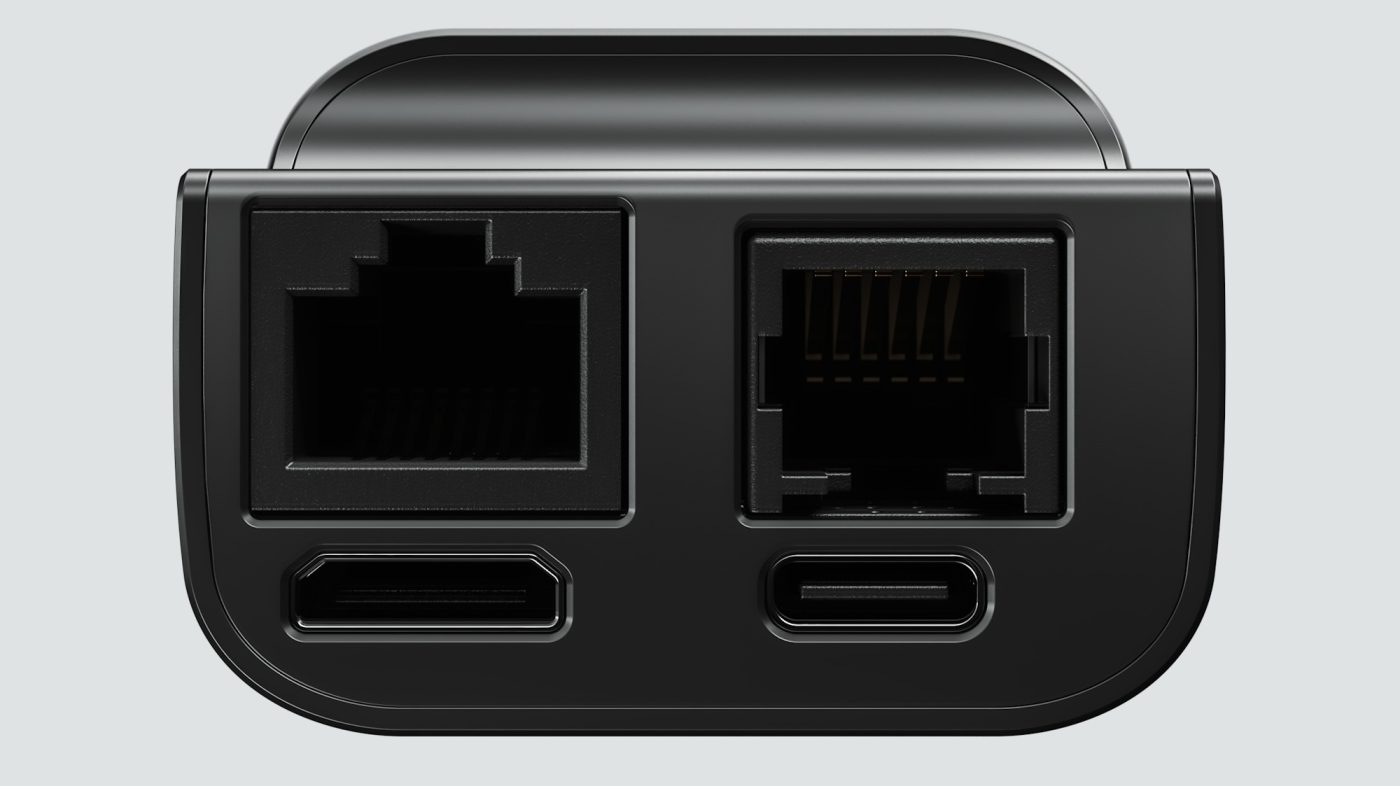
A standout aspect of JetKVM is its open-source model, which was developed in Golang and is operating on Linux. This allows for extensive customization, both in software and hardware. An RJ-11 extension port is available, appealing to tech enthusiasts and developers looking to add various functionalities.
More gadgets: LOFREE TOUCH PBT Wireless Mouse: A Retro Revival with Room for Improvement [Review]
JetKVM offers optional hardware extensions, such as ATX Power Control for managing computer power states and DC Power Control for DC-powered devices. A Serial Console extension, still under development, provides direct diagnostic access. These extensions integrate with the main device, offering expanded customization options.
JetKVM emphasizes community collaboration and plans to release the full source code. Beta testers and reviewers will access the code before the public release, scheduled for early December when the first units ship. The code will be available on GitHub, inviting community feedback and contributions.
Technical specifications and pricing of the JetKVM
JetKVM’s technical specifications include a RockChip RV1106G3 CPU, 256 MB of RAM, and 16 GB of storage. It runs on Linux 5.10 with Buildroot and includes ports like Ethernet, USB-C, HDMI Mini, and the RJ11 extension. A 1.69-inch capacitive touch screen enhances user interaction.
Before you go: The Elecrow CrowView Portable Display Gives Laptops Extra Screen Estate [Review]
Priced at $69, JetKVM offers an affordable option if it delivers on its promises. Its blend of low latency, open-source adaptability, and hardware customization makes it an intriguing prospect for personal and professional use. However, potential backers should carefully evaluate the risks and potential benefits when considering supporting this crowdfunded project.
Potential backers should be aware of the risks of Kickstarter campaigns. As JetKVM progresses through Kickstarter, there remains uncertainty regarding the fulfillment and final quality of the product. Prospective backers should consider these risks and may choose to wait for retail availability for a more secure investment.
YouTube: JetKVM – Kickstarter Demo (promotional clip)

By clicking play, you agree to YouTube's Terms of Service and Privacy Policy. Data may be shared with YouTube/Google.
Photo credit: All images shown have been provided by JetKVM as part of a press kit and is owned by them. The feature image was edited to include a background for decorative reasons.
